
If your IT department distributes .rdp connection files—or you are migrating dozens of saved endpoints from Windows Remote Desktop or Remmina—manually re-typing hostnames, ports, usernames, and display preferences on Linux quickly becomes tedious and error-prone.
Vessel RDP solves migration cleanly with built-in profile importers for Windows .rdp, Remmina (.remmina), and CSV spreadsheets, alongside portable zero-secret JSON and encrypted backups.
Supported Import & Backup Formats
| Format | Encoding / Structure | Available In | What Transfers |
|---|---|---|---|
Windows .rdp |
UTF-8 & UTF-16 .rdp files |
VesselRDP Pro | Server host, port, username, display & protocol settings |
Remmina (.remmina) |
Standard INI profile files | VesselRDP Pro | Connection name, host, protocol, username & group metadata |
| CSV Spreadsheets | Structured host/user columns | VesselRDP Pro | Bulk server inventories for RDP, SSH, and VNC |
| Vessel JSON Backup | vesselrdp-backup-<date>.json |
Free & Pro | Full folder tree & connection metadata (zero passwords) |
| Encrypted Backup | AES-256-GCM passphrase file | VesselRDP Pro | Passphrase-protected archive for safe machine transfers |
How Importing Works Safely in Vessel RDP
- Open the Import / Backup Flow: Click the backup/import controls in the Vessel RDP sidebar footer (importing
.rdp,.remmina, or CSV files requires VesselRDP Pro; upgrade via theFREEbadge). - Select Your Files: Pick single or multiple
.rdp,.remmina, or.csvfiles using the native Linux file portal. - Non-Destructive Grouping: Every import lands inside a newly created
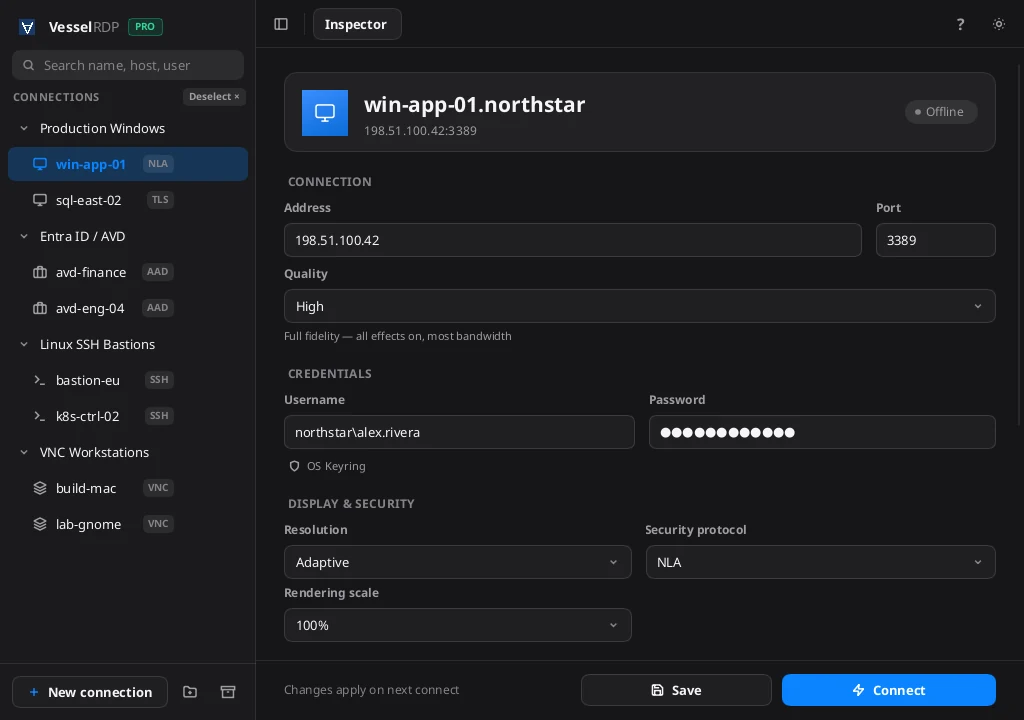
Imported <date>folder so your existing folder hierarchy and saved passwords are never overwritten. - Review & Connect: Inspect any imported corporate servers—if a target requires Microsoft Entra ID (Azure AD) interactive MFA, confirm Security Protocol is set to
AADand your username is your full email address (user@company.com).
Zero-Secret Portability vs. Encrypted Backups
Credential hygiene is built into Vessel RDP’s backup design:
- Free JSON Exports Never Leak Passwords: Standard JSON backups export your folder structure and server definitions with zero credentials, making them safe to store in dotfiles or team documentation.
- Pro AES-256-GCM Backups: When moving to a new Linux laptop and you want an encrypted archive protected by a master passphrase you control, VesselRDP Pro encrypts the backup with AES-256-GCM.
- Local-Only Runtime Secrets: Active connection passwords remain on your machine inside your Linux OS Keyring (Secret Service / KWallet) with AES-256-GCM local database fallback. Connection profiles and passwords are not uploaded to our servers.
What About Free Tier Connection Limits?
- You can install Vessel RDP Free (up to 10 saved connections across RDP, SSH, and VNC) and export/import zero-secret JSON backups at no cost.
- VesselRDP Pro ($39.99 one-time) unlocks unlimited connections, external
.rdp/.remmina/ CSV importers, instant multi-field fuzzy search across Name/Host/Username, SSH jump hosts (-J), and AES-256-GCM encrypted backups on up to 3 personal devices.
Get started in minutes: Download the AppImage, review the User Guide, or compare Free vs. Pro.
Get Vessel RDP Free — Upgrade to Pro Anytime
Connect securely with Microsoft Entra ID (Azure AD) MFA, SSH terminal tabs, and VNC on Linux. Start free for up to 10 connections, or unlock unlimited profiles, fuzzy search, jump hosts, and importers with Pro ($39.99 one-time).